


Word Battle
3.81.88K Reviews
App Specs
- Version
- 10.6.12
- Updated On
- License
- Free
- Downloads
- 100,000+
- Developer
- SIA Fufla
- Categories
- Word
- Platform
- Android
Screenshots
 Analysis by AppCompare
When a phone gets passed around at home, games that are easy to understand can bring people together without turning the evening into a project. Word Battle is a fast word game built around making words from a set of letters, so I can picture it fitting into a spare moment between chores, while waiting for dinner, or during a relaxed family visit. Its appeal is immediate, but the competitive pace also means it suits some shared-use situations better than others.
One device, several kinds of players
The basic idea is accessible: look at the letters, find words, and make your choices quickly. That makes it easier to explain than a strategy game with a long rulebook. In a household, one person can show another how the letter challenge works, then let them try a round. It can be a pleasant change from everyone scrolling separately, especially when players enjoy language puzzles but have different gaming habits.
There is an important distinction, though: the game’s central appeal is competition, and the described match format is against other players. That is not quite the same as passing one phone back and forth for a private, turn-based family puzzle. I would treat it as a game each person can choose to play, rather than assume it is designed as a shared-device party game. If your household wants everyone to take turns on one screen, a word game explicitly built for local pass-and-play may be a better fit.
Set sensible boundaries before handing over the phone
Word Battle is free to install, but it includes in-app purchases, with listed items ranging from $0.99 to $49.99. That is worth knowing before a child or guest starts playing on a device with payment access. I would check the device’s purchase approval settings and make sure the person using it understands that optional purchases are not needed just to try the game. This is a practical household precaution, not a claim that the game includes a particular parental control.
The same care applies to accounts. The published article describes signing in through services such as Facebook or Google, but I would not treat a shared family login as a good default. A personal account keeps each player’s activity and social connections from being mixed together. If someone is only borrowing a phone briefly, it is sensible to decide in advance whether they should use their own account or simply leave the game for the device owner.
Coordinate around the competitive pace
A quick word round can fill a short break, but real-time play asks for attention while it is happening. That makes it a poor choice if the player needs to keep stopping to answer questions, supervise another activity, or share the screen every few seconds. I’d choose a quiet stretch when the person can focus, rather than start a match during a meal or while the household is trying to coordinate plans.
For a realistic everyday use, imagine two adults waiting for a delayed appointment while a child nearby is using the same device for something else. Word Battle is better suited to the adult who has a few uninterrupted minutes and can concentrate on the letters than to a group trying to pass the phone around mid-match. If several people want to join in, they can coordinate separate turns or compare their own attempts afterward, but the competitive game itself should not be mistaken for a built-in household team activity.
Worth Reading Before You Choose

EA SPORTS FC Mobile 26 Is a Bigger Football Game, but It Takes Time

Flipboard Shows What News Apps Must Do Beyond the Feed

Switching to Android Auto Means Rethinking Your Driving Routine

Google Calendar Makes a Crowded Week Easier to Manage

Ludo King Makes the Most of the Minutes Between Plans

Baby Panda World Brings Quick Play to Modern Phones, but Its Game Library Feels Busy
Age and trust in a shared household
The game is rated Everyone, which makes its word-puzzle premise broadly approachable across ages. That rating can help a parent decide whether the general content is suitable, but it does not replace ordinary supervision around online interaction, account use, or spending. I would explain to younger players that they are competing in a multiplayer setting and make sure they know to ask before connecting accounts or making purchases.
For adults who simply want a clean, brief language challenge, the social element may be part of the fun. For a younger child who should not be interacting with other players, or for someone who needs a completely offline experience, I would choose a solo word puzzle instead. The key household question is not only whether the words are age-appropriate; it is whether the player is ready for the account and competitive context described by the game.
Getting Started with Word Battle
First things first, downloading Word Battle is a breeze. Available on both Android and iOS, you can grab it from the Play Store or App Store, and you’ll be up and running in no time. Once you fire it up, you’re greeted by a clean, user-friendly interface, which is always a plus in my book.
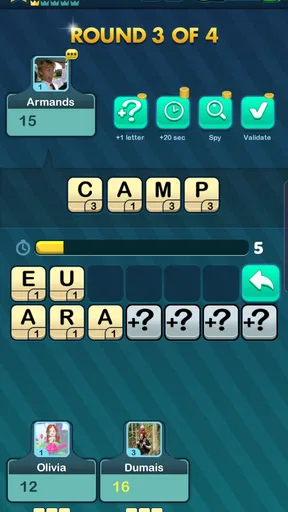
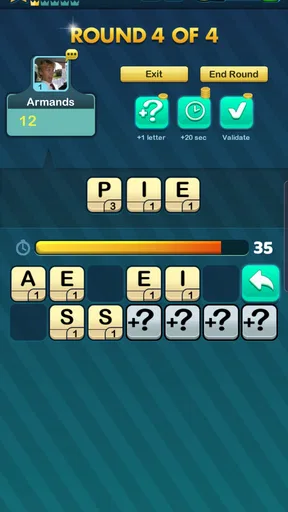
After a quick sign-up or login through platforms like Facebook or Google, you’re ready to jump into the action. The game has a variety of modes, but the main event is the multiplayer word battle. This pits you against other players in a race to create words from a random assortment of letters. It’s all about thinking on your feet and maximizing your score before the timer runs out.
The Gameplay Experience
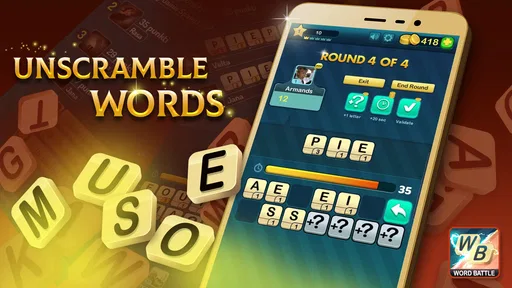
The core of Word Battle is straightforward yet wildly addictive. You’re given a set number of letters and a time limit, and your job is to construct as many words as possible. The longer and more complex the words, the higher your score. It’s a bit like Scrabble on steroids!
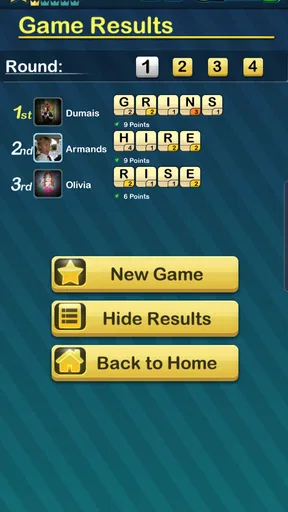
One of my favorite things about the game is the competitive nature. You’re not just playing against a computer; you’re facing real people from all over the world. It adds a level of excitement and unpredictability that keeps you coming back for more.
The game also offers some pretty neat features like power-ups that can help you out of tight spots. For instance, there’s a shuffle button to rearrange your letters if you’re stuck, and hints to nudge you in the right direction. These little extras can be a game-changer, especially in those nail-biting final seconds.
In-Game Rewards and Progression
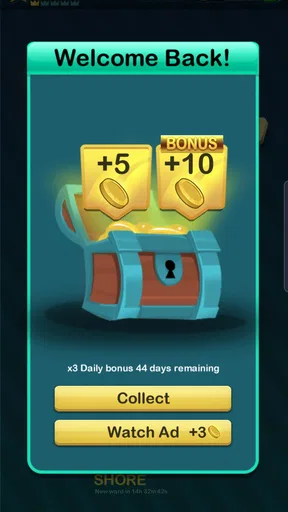
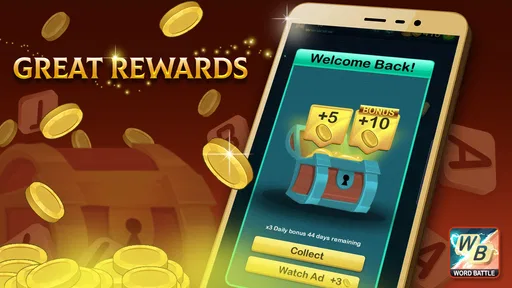
As you play, you’ll earn coins and rewards that can be used to buy more power-ups or unlock new levels. The progression system is satisfying, as it gives you goals to work towards, whether it’s climbing the leaderboard or completing daily challenges.
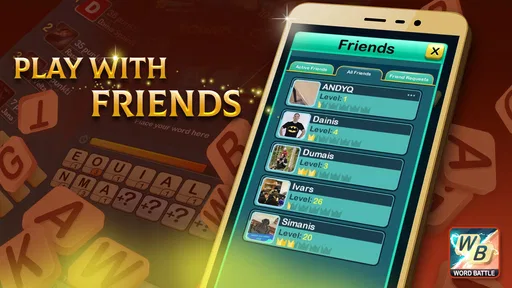
One thing that stands out is the community aspect. The game encourages you to connect with friends or make new ones. You can challenge buddies to a match or join a clan to participate in larger tournaments. It’s a great way to keep the game social and engaging.
A Few Words on Design and Sound
Visually, Word Battle is easy on the eyes. The colors are vibrant, and everything is laid out intuitively. The animations are slick, giving the game a polished feel. I also appreciate the little sound effects and music that add to the atmosphere without being overwhelming. It’s like the cherry on top of a well-designed sundae.
However, if you’re someone who prefers to game in silence, there’s always the option to mute the sounds, which I know some players will appreciate.
Choosing it over other word games
Compared with a crossword or a solo anagram puzzle, this game puts more weight on speed and the pressure of competing with another person. That makes it more exciting when I want a brisk challenge, but less suitable when I want to pause, think slowly, or solve something without a clock. A traditional board-style word game may be a better choice for a longer session with everyone gathered around one table; a quiet vocabulary puzzle is better for winding down alone.
My practical tip is to use the shuffle when your first view of the letters feels unproductive, rather than staring at the same arrangement until time is nearly gone. I also find it useful to scan for short, familiar words before hunting for an ambitious long one. That gives me a foothold and reduces the chance of spending the whole round chasing a single combination. Hints can help when I’m stuck, but relying on them too quickly may take away the satisfying part of solving the letters myself.
Who will enjoy it—and who may not
I’d recommend it to people who like word games but want a more urgent, head-to-head feel than a crossword provides. It can also suit friends who enjoy comparing quick thinking and vocabulary, provided each person is comfortable with the multiplayer setup. The short-round concept is handy for breaks, and a player can build a small routine around trying a round when they have a moment rather than committing to a long gaming session.
I would steer away from it if you dislike timers, feel stressed by competition, or want a game that works purely as a quiet solo exercise. It is also not my first pick for a household that expects one shared screen to support a complete group activity. The feature that gives the game its energy—competing in real time—is precisely the trade-off that makes a slower, turn-based alternative more comfortable for some players.
What to know before settling in
SIA Fufla is the developer, and the game is free to play, with optional in-app purchases. Its average rating is 3.8 from around 10,000 ratings, while players have left about 1,900 written reviews. Those figures suggest a game that has found an audience but may not be a universal favorite; I’d use them as context rather than a promise of how any one person will feel after playing.
It has been available since November 5, 2013, and the current version is 10.6.12. On Android, the stated minimum is version 5.0, and the age rating is Everyone. Those details make it easier to judge basic compatibility and household suitability, while the actual fit still depends on whether you want competitive play, social interaction, and optional purchases in a word game.
A household verdict
For a household, I see Word Battle as a personal quick-play game that can spark friendly conversation, not as a substitute for a shared board game or a dedicated family pass-and-play title. It works best when each player has clear account boundaries, understands the purchase situation, and has enough uninterrupted time to focus on a round. If those conditions fit your home, it can be an enjoyable way to put vocabulary and quick thinking to work.
Final Thoughts
All in all, Word Battle is a fantastic game for anyone who loves words and competition. It’s challenging, fun, and a great way to sharpen your language skills while having a blast. Whether you’re a seasoned wordsmith or just looking for a new game to try, I highly recommend giving it a shot.
So, what are you waiting for? Go ahead and download Word Battle. Who knows, you might just discover your inner word wizard!
Pros
- Engaging multiplayer word challenges.
- Intuitive interface for easy navigation.
- Regular updates with new features.
- Supports multiple languages for wider reach.
- In-game chat enhances social interaction.
Cons
- Limited offline functionality.
- Occasional ad interruptions.
- Some in-app purchases are pricey.
- Requires internet for most features.
- Lacks detailed tutorials for beginners.
FAQs for Word Battle
What is Word Battle, and how does it work?
Word Battle is a competitive multiplayer word game where players challenge each other to create words from a given set of letters within a time limit. The goal is to score the highest points by forming longer and more complex words. Players can compete with friends or random opponents, making it both engaging and social.
Is Word Battle free to play?
Yes, Word Battle is free to download and play. However, it offers in-app purchases for additional features and enhancements, such as ad-free play, extra hints, and special game modes. These purchases are optional and are designed to enhance the gaming experience without being necessary for basic gameplay.
What are the system requirements for Word Battle?
Word Battle requires iOS 11.0 or later for Apple devices and Android 5.0 or later for Android devices. It is compatible with most modern smartphones and tablets. Ensure your device has sufficient storage space and a stable internet connection for the best experience, especially during multiplayer matches.
Can I play Word Battle offline?
Word Battle primarily focuses on real-time multiplayer gameplay, which requires an internet connection. However, there is an offline practice mode where users can hone their skills without competing against others. This feature is useful for improving your strategy and vocabulary without the pressure of competition.
How can I improve my skills in Word Battle?
To improve in Word Battle, regularly practice using the offline mode to familiarize yourself with different letter combinations. Engage in multiplayer matches to challenge yourself against more skilled opponents. Additionally, use available in-game hints wisely and consider purchasing the ad-free version for uninterrupted practice sessions.


